How To Get Great Clips Coupons Working (Full Guide) 2026!
My exact blueprint I use to find high ranking video topics that produces me $4,000 every month: https://payhip.com/YouTubeSearchBlueprints
🔖 Bookmark & Use for ANY Amazon Purchase (Supports Channel): https://amzn.to/4vqQAzA
💎 Get Discounts on Top AI & Software Tools: https://linktr.ee/blazeguides
DISCLAIMER REGARDING EARNINGS:
The content of this video is intended solely for educational purposes. We cannot assure or guarantee any monetary gains from implementing the methods and concepts discussed herein. It is important to note that I am not a financial advisor, and any information shared on this YouTube channel should not be construed as financial advice. Achieving the outcomes presented in this video will necessitate diligent effort, expertise, and understanding.
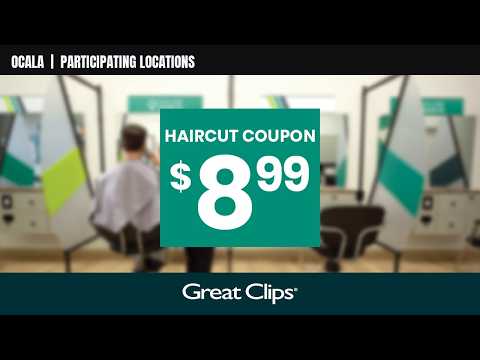
Getting Great Clips coupons working can help you save money on haircuts, but the discount has to be valid, accepted by the salon, and entered or shown correctly before checkout. This guide walks you through how to use Great Clips coupons in 2026 and what to check when a promo code, barcode, email offer, app coupon, or printed discount is not working.
You’ll learn how to open the Great Clips app, check available offers, read the coupon details, and confirm the expiration date, location rules, and service requirements. We’ll also cover how to use a coupon during Online Check-In, how to show a barcode or promo code at the salon, and why some discounts may only work at participating locations.
This tutorial is useful if your Great Clips coupon is expired, not scanning, not accepted, missing from the app, or showing a different price than expected. We’ll explain common reasons coupons fail, including regional restrictions, one-time-use limits, minimum service requirements, salon participation, copied codes, blurry barcodes, and offers that cannot be combined with other discounts.
A key part of this Great Clips coupon guide is checking the terms before your haircut. Some offers must be shown before payment, while others may be tied to an email, text message, printed mailer, or specific app account. If the coupon still does not work, we’ll explain how to refresh the app, check for updates, try another salon, or ask the stylist to verify the promo before checkout.
For another helpful Blaze Guides topic, you may also want to check out our guides on how to use the Great Clips app, how to check in online, and how to use mobile coupons in service apps.
Subscribe to Blaze Guides for more step-by-step app tutorials, coupon guides, service booking tips, and simple tech instructions that help you save money and avoid checkout problems. Comment below what type of Great Clips coupon you are trying to use.
#GreatClips #Coupons #GreatClipsCoupons #HaircutCoupon #MobileCoupons #PromoCode #BlazeGuides #Tutorial





 2026!'))
Comments